Range
Fibre optic patch cords
LC, SC, FC and ST patch cords in single-mode and multimode, simplex or duplex, built to the length and polish the link needs.
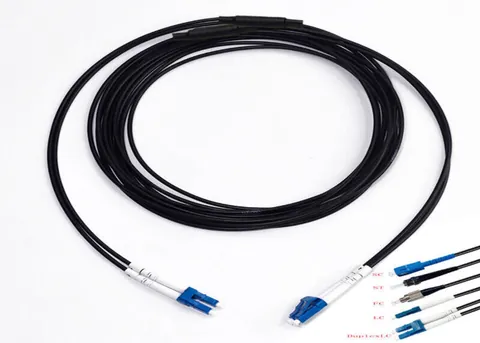
Click the photo to enlarge. Illustrative photo of a Radix assembly; yours is built to your specification.
LC cords in 62.5 and 50 micron multimode for replacing patch cords on installed legacy cabling, made to your drawing.
OM1 and OM2 LC patch cords are for links on installed legacy multimode cabling: OM1 has a 62.5 micron core, OM2 a 50 micron core. Both have orange jackets. Match the cord core size to the installed cable, because a 62.5 micron cord feeding 50 micron fibre can lose up to about 4.7 dB. Use OM3, OM4 or OS2 for any new link.
| Core and cladding | 62.5 micron and 125 micron |
|---|---|
| Numerical aperture (typical) | About 0.275 |
| Minimum modal bandwidth at 850 nm | 200 MHz.km |
| Minimum modal bandwidth at 1300 nm | 500 MHz.km |
| Maximum attenuation at 850 nm | 3.5 dB/km |
| Maximum attenuation at 1300 nm | 1.5 dB/km |
| Jacket colour by convention | Orange |
| Source it was designed for | LED and early lasers |
Radix confirms the exact build, fibre grade and test figures in your quote. Made to order, so lengths, connectors and labelling follow your drawing.
Radix builds this to your drawing in Pune and quotes by form, phone or WhatsApp. An engineer reads every request.
Send us:
Add this item to your list, add more items, then send one request.
OM1 and OM2 are the older multimode fibre grades. OM1 has a 62.5 micron core and OM2 a 50 micron core, and both were installed widely in buildings and campuses from the 1990s and early 2000s. New installations use OM3, OM4 or single-mode, but the installed fibre stays in the walls. When a patch cord on that fibre breaks, or a switch is replaced with one that has LC ports, the buyer needs a cord that matches the legacy fibre, not a modern one. That is the reason this product exists.
Buy an OM1 or OM2 cord only when it replaces a link on installed OM1 or OM2 cabling, and keep the fibre type of the cord the same as the fibre type of the installed cable. A mismatch costs light, as the worked example later in this page shows. For new links, the choice is covered in OM3 vs OM4 vs OM5 and OM4 vs OS2: which to buy.
Radix Fibrotech makes fibre patch cords and assemblies to the customer's drawing in Pune. Legacy-fibre builds are specified by drawing, so confirm in the quote what is available for the fibre, connector and length you need. Send us the drawing and we reply with what we can build. The wider LC range is described under LC to LC patch cords.
The bandwidth and attenuation values come from the ISO/IEC 11801 and TIA-568 cabling grades, and the numbers in a particular cable's data sheet may be better than the minimum. Both grades share the orange jacket, so colour does not tell them apart. The core size is printed on the jacket legend, and for a bare cord the only reliable check is the label or a core measurement. See multimode fibre colours for the colour scheme.
The LED-era design is why these grades have low modal bandwidth. An LED fills many modes of the fibre, so the pulse spreads as it travels, and bandwidth drops quickly with length. Vertical-cavity lasers (VCSELs) launch fewer modes into the fibre, and the newer grades OM3 to OM5 were optimised for them. The older grades work with VCSELs, but their reach is short at higher speeds. See chromatic and modal dispersion for the physics.
Reach depends on speed and on the transceiver. The IEEE 802.3 optical interface types fix the distance for each fibre grade. The figures below are the usual published values, and the transceiver data sheet governs in practice.
| Interface | OM1 (62.5 micron, 200 MHz.km) | OM2 (50 micron, 500 MHz.km) | OM3 | OM4 |
|---|---|---|---|---|
| 1000BASE-SX (850 nm) | 275 m | 550 m | 550 m | 550 m |
| 10GBASE-SR (850 nm) | 33 m | 82 m | 300 m | 400 m |
| 1000BASE-LX (1310 nm, multimode) | 550 m | 550 m | 550 m | 550 m |
1000BASE-SX on OM1 is stated as 275 m for fibre with 200 MHz.km and 220 m for fibre with 160 MHz.km, so older installs on lower-bandwidth 62.5 micron fibre can be limited to 220 m. 1000BASE-LX on multimode fibre requires a mode-conditioning patch cord at the transmitter when used on 62.5 micron fibre, and that cord is a special part, not an ordinary one. The Fibre Channel standards have similar tables, summarised in Fibre Channel speeds and reach, with 1, 2, 4 and 8 Gbit/s on legacy fibre reaching roughly 300 m, 150 m, 70 m and 21 m on OM1 and 500 m, 300 m, 150 m and 50 m on OM2, per the published tables.
The common thread is that OM1 and OM2 cords suit one gigabit links and low-speed Fibre Channel. They are poor choices for 10G and impossible for 25G and above except over a few metres. For the full list of Ethernet reach, see the IEEE 802.3 fibre Ethernet reach table.
The commonest mistake with legacy fibre is mixing the two core sizes. Light going from a larger core to a smaller one loses power, because part of it falls outside the smaller core and outside the smaller acceptance angle. Going the other way, from small to large, loses little.
The loss can be estimated as the sum of two effects, expressed in dB as 10 times the log of a ratio.
The 4.7 dB figure is the worst case, for a source that fills the whole core and the whole numerical aperture. Real loss depends on the mode fill of the source and is often lower. It is large enough to bring a working link down, and a typical gigabit transceiver loses a few dB of its power budget to it. A 62.5 micron cord on a 50 micron cable can be a hidden cause of a link that is marginal or intermittent.
| Cord | Installed cable | Direction that loses | Result |
|---|---|---|---|
| OM1 62.5 micron | OM1 62.5 micron | None | Normal |
| OM2 50 micron | OM2 50 micron | None | Normal |
| OM1 cord feeding OM2 cable | 50 micron | Transmit direction: up to about 4.7 dB | Likely to hurt a marginal link |
| OM2 cord feeding OM1 cable | 62.5 micron | Small | Works, but do not rely on it |
Because the loss is one-way, a mismatched cord can work in one direction and fail in the other, which makes the fault hard to trace. Match the cord to the cable at every position.
All numbers are assumed. A small office has gigabit links on installed OM1 cabling from a wiring closet to each room. The switch is being replaced with one that has SFP ports taking 1000BASE-SX modules. The installer needs LC patch cords at the switch and at the wall panel for each run.
| Step | Check | Result |
|---|---|---|
| 1 | Identify the installed fibre by the jacket legend or the label on the panel | 62.5/125 OM1 |
| 2 | Longest permanent link | 190 m |
| 3 | Reach of 1000BASE-SX on 62.5 micron fibre | 220 m for 160 MHz.km, 275 m for 200 MHz.km |
| 4 | Total channel length with two 3 m patch cords | 190 + 6 = 196 m, under 220 m |
| 5 | Cord choice | OM1 62.5/125 LC duplex |
Now the loss check. Assume 3.5 dB/km at 850 nm, which is the maximum for these grades, and four mated pairs in the channel (switch, panel on each side, and wall outlet) at 0.5 dB each.
The IEEE 802.3 channel insertion loss figure for 1000BASE-SX on 160 MHz.km, 62.5 micron fibre at 220 m is about 2.4 dB, and about 2.6 dB for 200 MHz.km fibre at 275 m. Check the current text of the standard. The 2.7 dB estimate is over both, and the margin disappears. The fix is better connectors (0.3 dB each gives 1.2 dB and a total near 1.9 dB, inside both figures), fewer mated pairs, or direct cords. This shows why connector loss on legacy links needs attention even over short distances, and why an installer who buys the cheapest cords may find a link that does not come up. The method is in the fibre loss budget guide.
Had the installer ordered OM2 cords for this OM1 cable, the transmit side could lose up to 4.7 dB in the cord-to-cable step, and the link would fail.
Do not buy one for a new link, for any link at 10G or above beyond a few tens of metres, or for a data-centre refit. The cost saving is small and the cabling will not last. Choose OM3 LC duplex, OM4 LC duplex or OS2 LC duplex cords, depending on speed and reach.
If you are planning to upgrade a site, installed OM1 and OM2 cable is usually the first thing to replace, since the cords are the cheaper part of the change. A short survey of lengths and speeds will show whether the existing fibre can carry the new switch. The installed-cable decision is covered in multimode fibre optic cable.
Send the fibre type, connector at each end, length, cable diameter and jacket, and quantity through the request a quote page, along with a photo of the installed cable legend if you have one. Radix makes fibre patch cords to the customer's drawing in Pune, with quotes by form, phone or WhatsApp. Legacy builds are confirmed one by one, so tell us what you need and we reply with what we can build.
OM1 has a 62.5 micron core and OM2 a 50 micron core. OM2 has higher modal bandwidth at 850 nm, 500 MHz.km against 200, so it reaches further at gigabit and 10G speeds. Both have an orange jacket by convention.
Not safely. A 62.5 micron cord feeding 50 micron fibre can lose up to about 4.7 dB in that direction, which can stop a gigabit link. Match the cord core size to the installed cable at every position.
The 10GBASE-SR standard gives 33 m on OM1 and 82 m on OM2. OM3 reaches 300 m and OM4 reaches 400 m. For new 10G links, use OM3, OM4 or single-mode.
No. It suits only replacement of cords on installed OM1 cabling at gigabit or lower speeds. New links should use OM3, OM4 or OS2, which cost little more and carry higher speeds.
Orange, by convention. OM2 is also orange, so the colour does not identify the grade. Check the jacket legend or the label, or ask the supplier to print the core size on the cord.
Yes, to 220 m on 160 MHz.km fibre and 275 m on 200 MHz.km fibre, as set by IEEE 802.3. Loss in the connectors is often the real limit on old links, so check the channel loss budget.
Only for 1000BASE-LX over legacy multimode fibre, particularly 62.5 micron. It is a special cord with an offset launch, and an ordinary patch cord is not a substitute. For 1000BASE-SX it is not needed.
Radix makes fibre patch cords to the customer's drawing in Pune. Whether a legacy-fibre build is available is confirmed in the quote. Send the fibre, connector, length and quantity, and we reply with what we can build.
Range
LC, SC, FC and ST patch cords in single-mode and multimode, simplex or duplex, built to the length and polish the link needs.
Range
Single-mode and multimode LC to LC cords, simplex or duplex, with a standard clip or uniboot, cut to the length of the run.
Range
OM1, OM2, OM3, OM4 and OM5 cords with LC, SC, ST, FC or MPO connectors, matched to the fibre and optics already in the link.
Range
Aqua 50/125 µm LC duplex cords for 850 nm short-reach links, made to the length, polarity and jacket you specify.
OM3, OM4 and OM5 compared: modal bandwidth, IEEE 802.3 reach for 10G, 40G, 100G and 400G, jacket colours, and when OM5 is worth specifying for a new link.
Read moreGuideMultimode fibre has a 50 or 62.5 µm core and runs short links at 850 nm. OM1 to OM5 grades, VCSEL optics, LC and MPO connectors, and what to specify.
Read moreSend the fibre type, count, connectors, length and quantity. An engineer replies with questions or a quote.
Fill in what you know. An engineer replies from sales@radixfibrotech.com, Monday to Friday, 09:00 to 18:00 India time. Prefer to talk? Call +91 99702 02526.
Your reference is . A confirmation is on its way to your inbox. We reply from sales@radixfibrotech.com, Monday to Friday, 09:00 to 18:00 India time.
Urgent, or have a drawing? Send the reference on WhatsApp and we will pick it up there.